Beebeeb on Android is in testing
The app works on real phones today, and it is not finished. This page lists what works and what does not, and gives no dates.
No card or iDEAL needed to start. You create your account on the web, then sign in on the phone.
In testing.Google Play release: planned. No date.
Your files, encrypted before they leave your phone
You create your account on the web, then sign in on the phone. The app calls the same Rust encryption core as the web app, through native bindings, so what reaches us is ciphertext we cannot read.
-
Browse your vault
The Files list marks every file with its cipher, AES-256-GCM, and a lock. Uploads start from the add button.
-
Add from the add button
Upload a photo or video, upload a file, or make a new file or folder. Each file is encrypted on the phone first.
-
Uploads that resume
Uploads run natively and pick up where they stopped. We checked a 120 MB upload that was interrupted on a real phone.
-
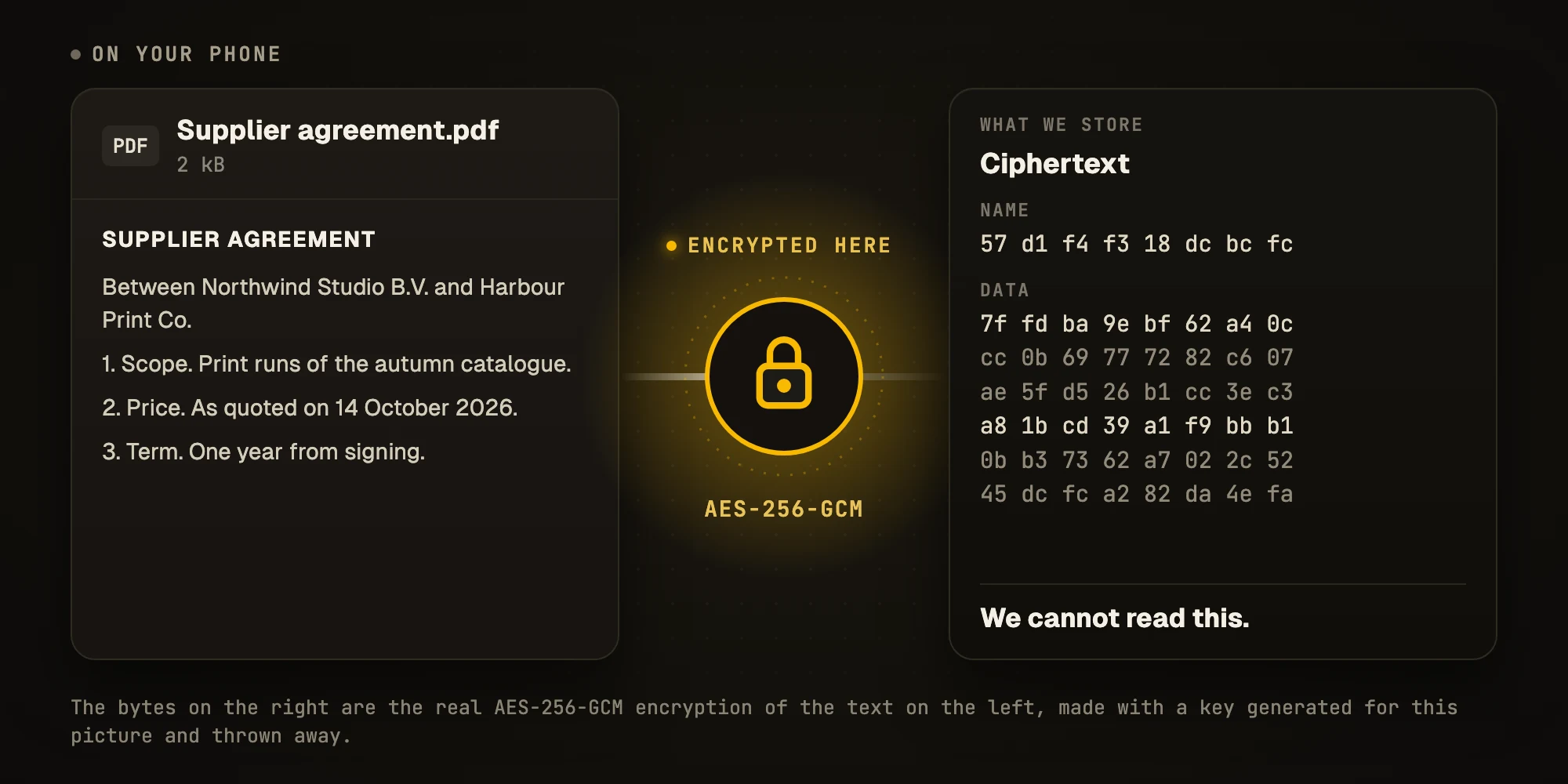
Encrypted on the phone, not on our servers
A file is encrypted with AES-256-GCM on the phone, and so is its name. What reaches us is ciphertext we cannot read.
Watch it while it downloads, keep it for the plane
Two things people ask about first on a phone: playing a big video and having files without a connection.
-
Video while it downloads
Tap a video and it plays while it downloads. In our test a 163 MB encrypted video started in about 2.5 seconds, and seeking decrypts only the part you jump to.
-
Offline files
Keep files on the phone for when there is no connection. We checked playback in airplane mode.
Locked to you, open to anyone you ask
Lock the app with your fingerprint or face, and ask anyone for files with a link.
-
Sign in and lock
Sign in with your email and password. Lock the app with your fingerprint or face.
-
File requests
Create a link anyone can use to send you files, without an account.
Rough edges
The photo grid is slower than it should be, and we are still working on it.
Planned
Not in the Android app today, and no dates.
- Camera roll backup Planned Not built on Android yet. The iPhone app has it today.
- Contacts and calendar backup Planned Not built on Android yet. The iPhone app has it today.
- Your vault in the system file picker Planned So other apps can open your files from Beebeeb.
Availability
Android is in testing. There is no Play Store listing yet. The iOS app is further along, and you can already use Beebeeb on the web, with the CLI, and on macOS and Windows. The apps are open source: read the code.
View Designed Plain text, for AI